You can now run Pantavisor control commands from a device page in Pantacor Hub and see the device’s response alongside a history of recent commands.
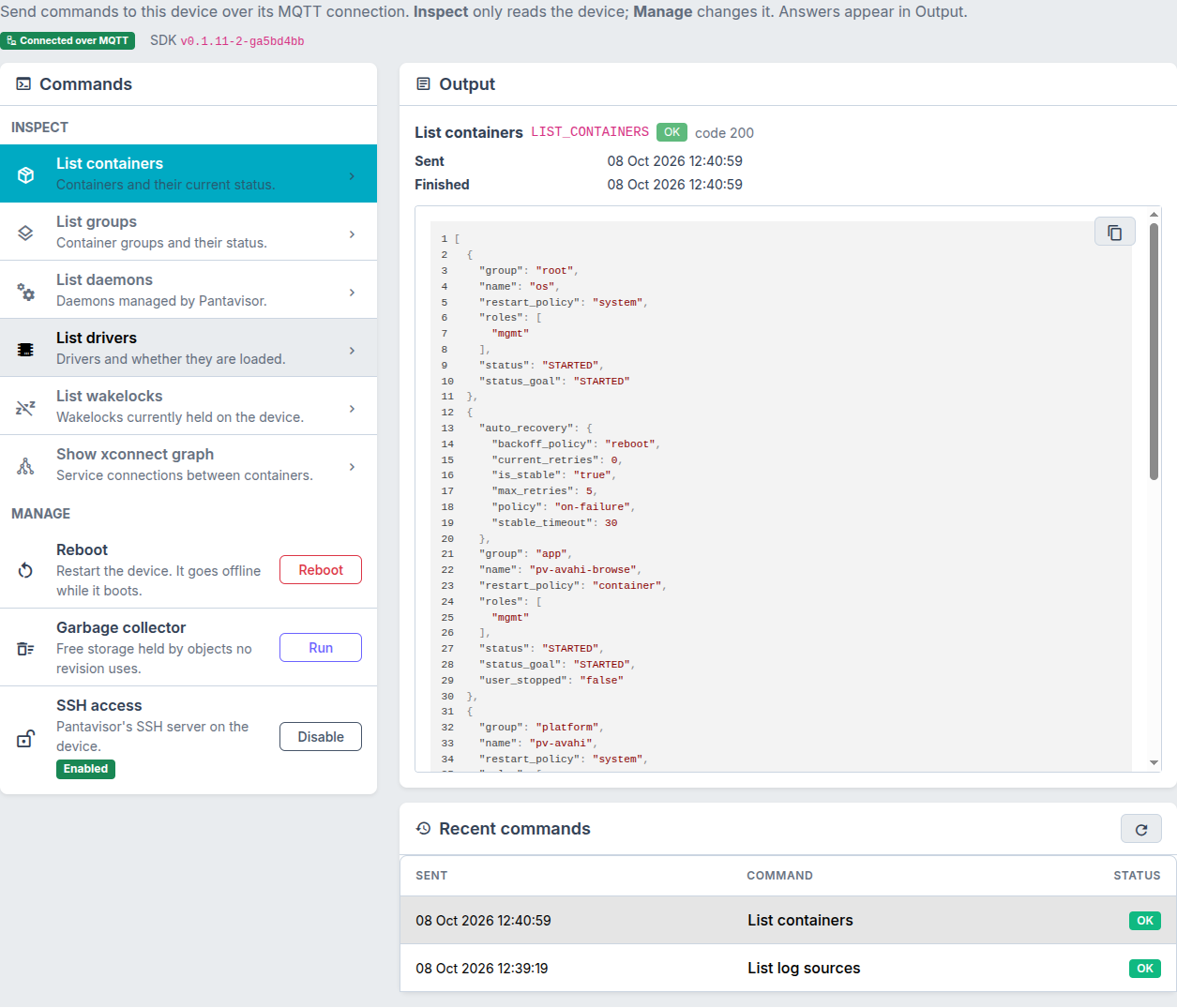
Open Pantavisor control on a supported device to inspect its runtime or perform common maintenance actions over its MQTT connection.
Inspect the runtime
The Inspect section offers queries for:
- Containers and their current status.
- Container groups and managed daemons.
- Drivers and their load status.
- Wakelocks held on the device.
- The xconnect graph of service connections between containers.
Select a query and its response appears in Output. This is useful for checking what’s running, which drivers are loaded, or what might be keeping a device awake.
Manage the device
The Manage section lets you reboot the device, run the garbage collector to free storage held by unused objects, and enable or disable Pantavisor’s SSH access. Reboot and SSH changes ask for confirmation before they are sent.
Recent commands shows what you’ve requested and how each command finished, with output and errors available for inspection. History remains visible when the device is offline; sending commands requires an active MQTT connection.
Try it
Sign in to the Hub, open a device you own that is managed by the pv-mqtt-sdk agent, and choose Pantavisor control. Start with List containers to inspect the runtime.
Commands are a defined set supported by both the Hub and the device agent. Requests expire after 60 seconds, and the agent ignores commands it has already executed. Command history is retained for 30 days.
For automation, the API reference includes POST /devices/{id}/commands and endpoints to read command results and history. Sending commands requires the full API scope or devices.commands.
Try the controls and let us know which runtime queries or maintenance actions you’d like to see next!