pvflasher v1.2.1 is out. pvflasher is Pantacor’s open-source flashing tool for writing OS images to SD cards and USB drives — .bmap-accelerated writes, flashing straight from compressed archives, verification, and a built-in flow for downloading and flashing Pantavisor images. GUI and CLI for Linux, macOS and Windows.
Since our last announcement (v0.0.10) pvflasher has moved to the 1.x line, with the focus on a desktop-grade GUI, safer target selection, and keeping pvflasher up to date on its own.
Highlights
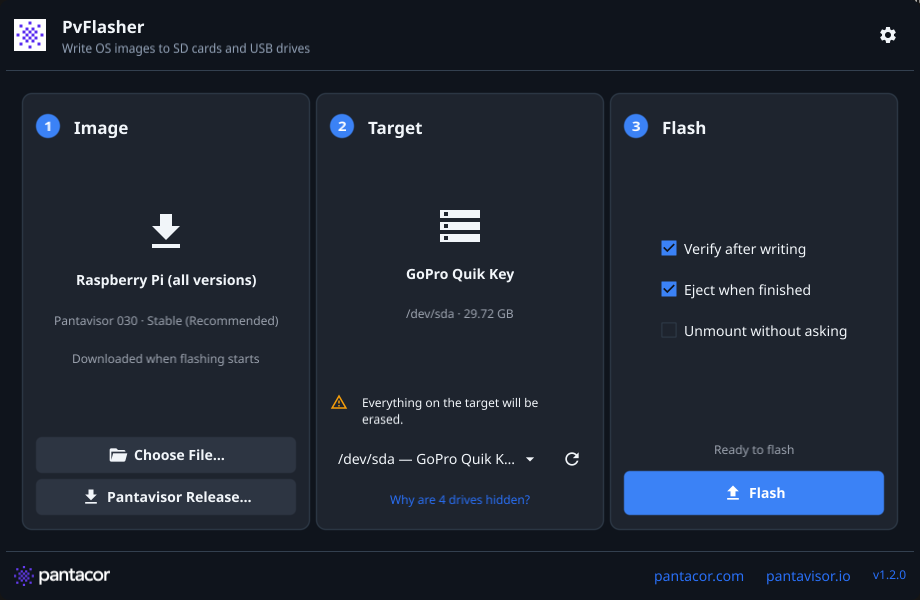
- Redesigned desktop GUI — a new layout built for desktop use, showing the current and latest versions with a one-click update action.
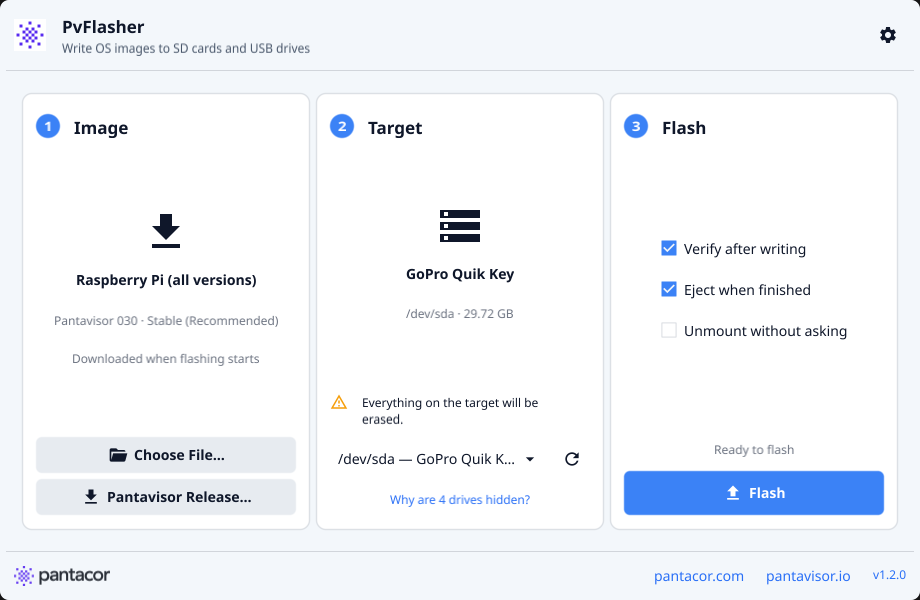
- Safer flash targets — the GUI only offers external drives, hides internal disks and drives in use by the system (a “Why are N drives hidden?” link explains why), and asks for confirmation before erasing.
- Official Pantavisor release names — the built-in image browser now uses the official release names, and downloads can be cancelled.
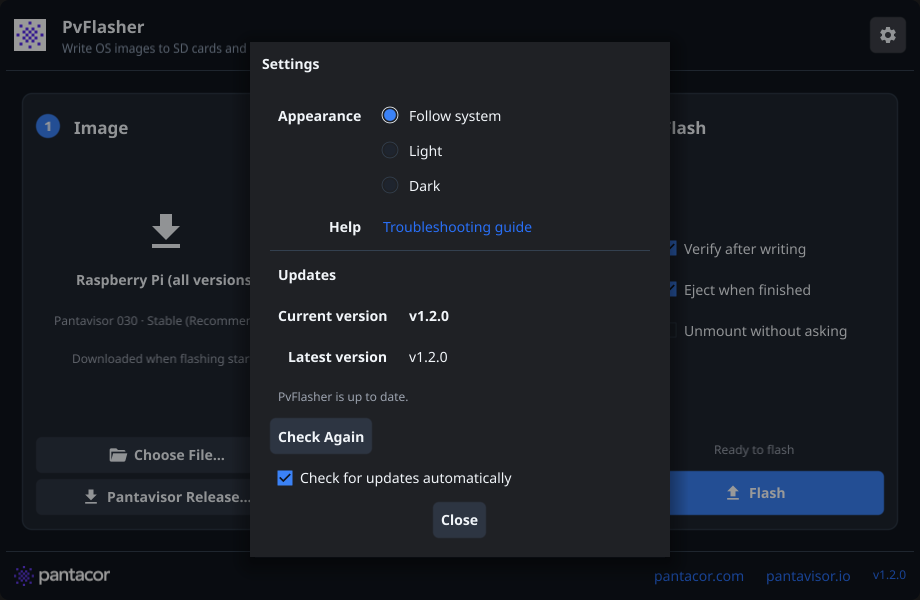
- Signed automatic updates — pvflasher checks for a new release once a day and offers to install it. Updates are verified against a minisign key built into the app (key ID
B711C321FA6FF262) before they are applied. You can turn this off from the gear icon’s Updates setting, or update from the CLI withpvflasher update(--checkto only look). - Native file picker — new in v1.2.1: “Choose File…” now opens the system Open panel on macOS and Windows (Linux already used the desktop portal).
- Native installers — a signed and notarized macOS DMG (Apple Silicon and Intel, macOS 11+) and a Windows installer (x86_64 and ARM64) that needs no administrator rights to install.
A quick tour
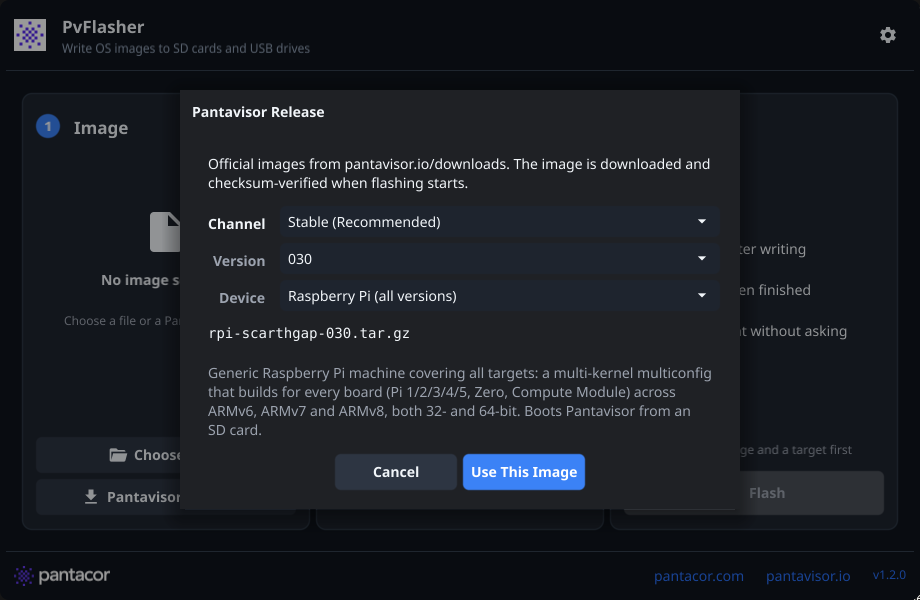
Pick an official Pantavisor image by channel, version and device — it is downloaded and checksum-verified when flashing starts:
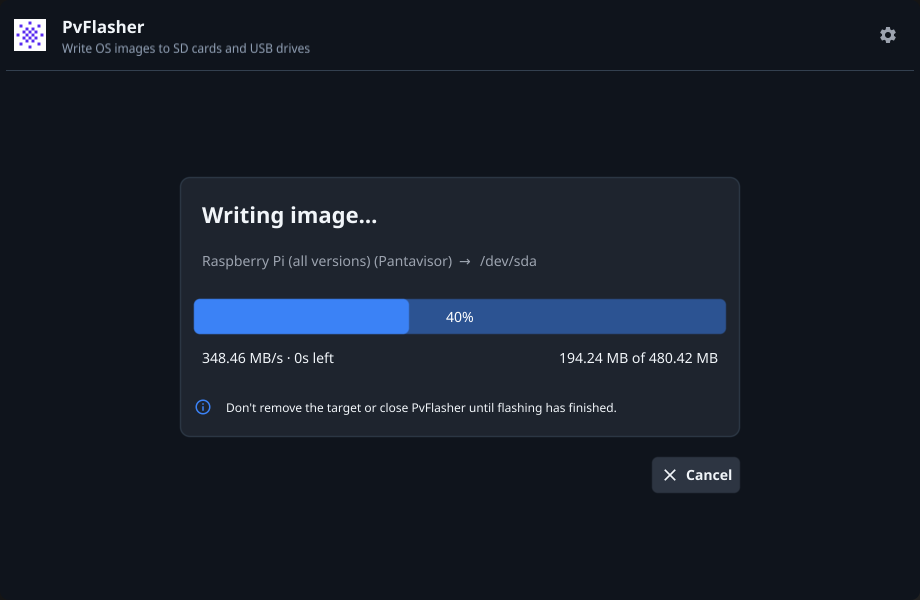
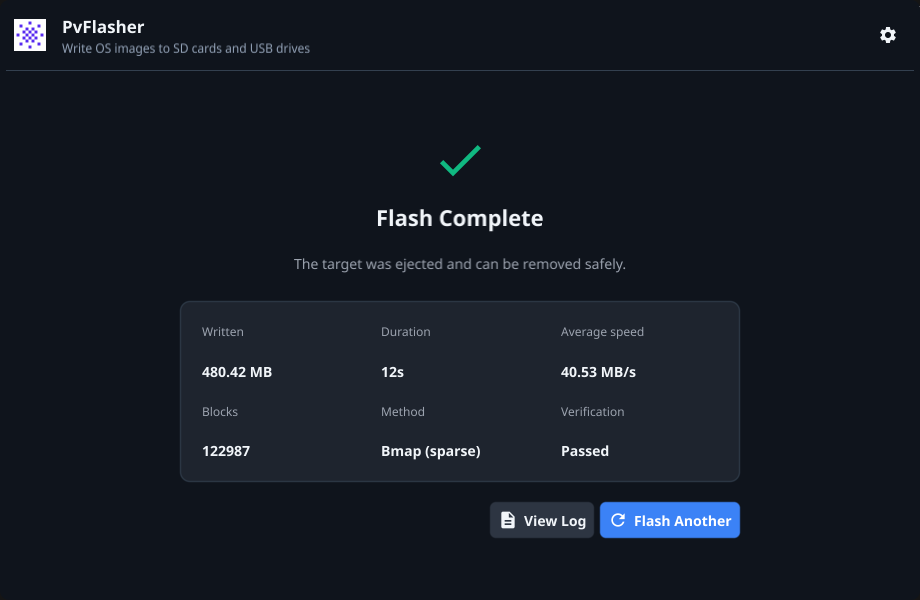
Live progress while writing, and a summary when it’s done (bytes written, duration, speed, bmap method and verification result):
The gear icon opens the settings: appearance (follow system, light or dark), a link to the troubleshooting guide, and the update controls:
And the light theme:
How fast is it?
We benchmarked the Pantavisor 030 rpi-scarthgap image (390 MB compressed, 715 MB raw) written to a microSD card in a USB 3 reader (seconds, lower is better):
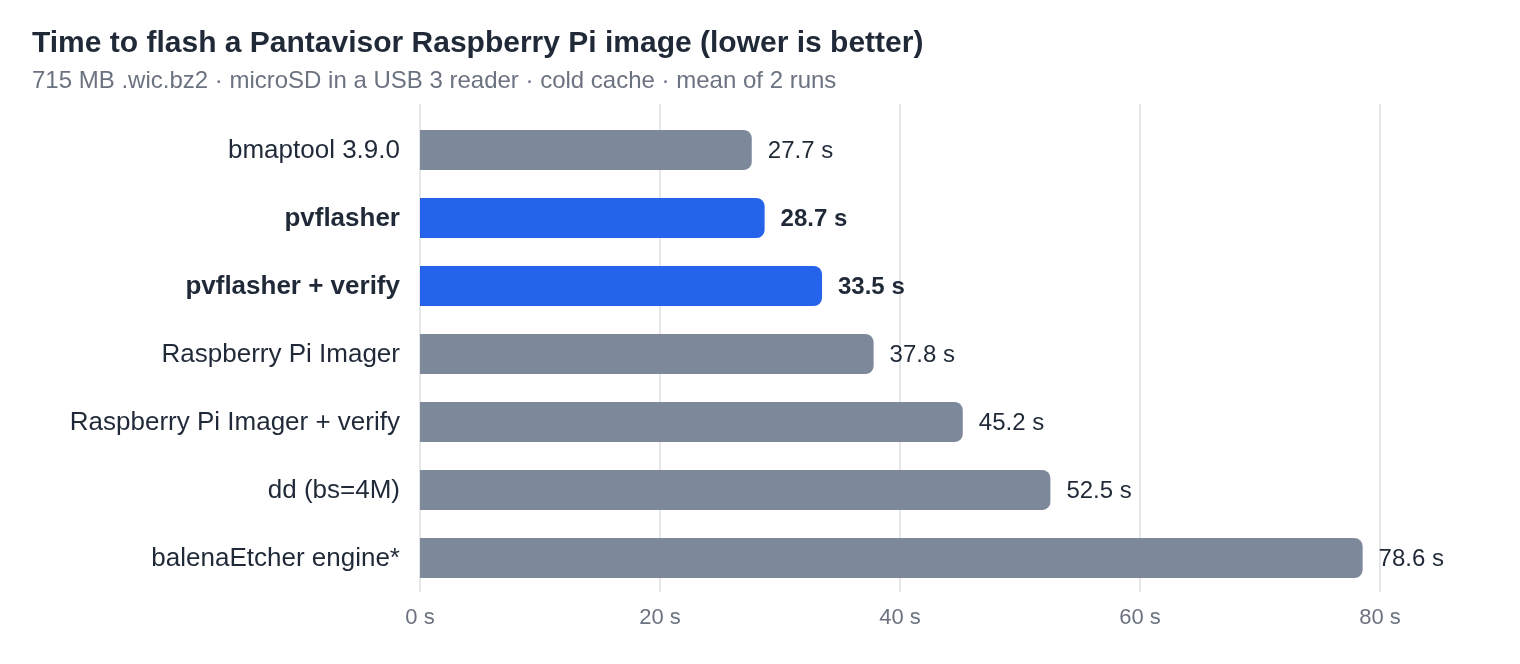
- Verified in 33.5 s — pvflasher writes the image and reads back every written block against its checksums faster than Raspberry Pi Imager writes it without checking (37.8 s).
- 1.8× faster than
ddand 2.7× faster than the balenaEtcher engine — the.bmapskips the empty parts of the image, and decompression runs in parallel with the writes. - On par with
bmaptool(27.7 s), the reference bmap implementation, with read-back verification, a GUI and Windows/macOS support on top.
Fixes
- The extracting phase now has its own title and an animated progress bar, instead of a bar stuck at 100% with 0 B/s.
- The release version is now embedded correctly in cross-compiled builds.
- The relaunched app no longer inherits stray file descriptors after an update.
Download
Grab the build for your platform from the v1.2.1 release page (Release v1.2.1 · pantavisor/pvflasher · GitHub):
| Platform | Package |
|---|---|
| macOS | PvFlasher-v1.2.1-arm64.dmg / -x86_64.dmg |
| Windows | PvFlasher-Setup-v1.2.1-x86_64.exe / -aarch64.exe |
| Linux | AppImage, .deb, .rpm, .pkg.tar.zst or .tar.xz |
Or use the install scripts:
# Linux / macOS
curl -fsSL https://raw.githubusercontent.com/pantavisor/pvflasher/main/scripts/install.sh | bash
# Windows
powershell -c "irm https://raw.githubusercontent.com/pantavisor/pvflasher/main/scripts/install.ps1 | iex"
The macOS app, the Windows installer, the AppImage and the .tar.xz build keep themselves up to date; deb, rpm and pacman installs are left to your package manager.
The User Guide and Troubleshooting docs have also been updated for the new app, updater and installers.
Full changelog: pvflasher/CHANGELOG.md at main · pantavisor/pvflasher · GitHub
Feedback and bug reports are welcome — reply here or open an issue on the pvflasher repo (GitHub - pantavisor/pvflasher: Fast, safe OS image flasher for SD cards and USB drives: .bmap-accelerated writes, verification, signed auto-updates and built-in Pantavisor images. GUI and CLI for Linux, macOS and Windows. · GitHub).